Query Loop and Latest Post Excerpt blocks turns multi-paragraph content into one flat blob.
Here is the code snippet I used to fix it.
I made an issue in the Gutenberg repository on Github here: https://github.com/WordPress/gutenberg/issues/80380
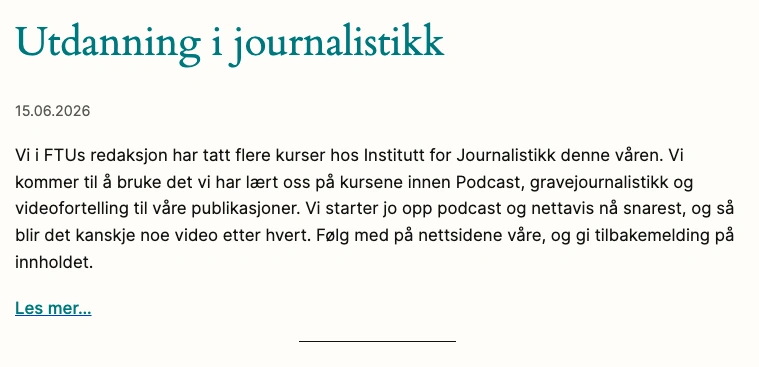
The problem is that post previews of the text shows up in one blob. So using the Query Loop block or the Latest Post block makes it look like this:
Adding the following code snippet in a code snippet plugin did the work so the preview looks similar to the post.
// Workaround for automatic Query Loop excerpts preserving Gutenberg paragraph breaks.
if ( ! function_exists( 'ftu_excerpt_collect_paragraph_blocks_v2' ) ) {
function ftu_excerpt_collect_paragraph_blocks_v2( $blocks, &$paragraphs = array() ) {
foreach ( $blocks as $block ) {
if ( isset( $block['blockName'] ) && 'core/paragraph' === $block['blockName'] ) {
$html = trim( $block['innerHTML'] ?? '' );
$text = trim( wp_strip_all_tags( $html ) );
if ( $text !== '' ) {
$paragraphs[] = array(
'html' => $html,
'text' => $text,
);
}
}
if ( ! empty( $block['innerBlocks'] ) ) {
ftu_excerpt_collect_paragraph_blocks_v2( $block['innerBlocks'], $paragraphs );
}
}
return $paragraphs;
}
}
if ( ! function_exists( 'ftu_excerpt_trim_paragraph_html_to_words_v2' ) ) {
function ftu_excerpt_trim_paragraph_html_to_words_v2( $paragraphs, $max_words = 60 ) {
$output = '';
$count = 0;
foreach ( $paragraphs as $paragraph ) {
$words = preg_split( '/\s+/', $paragraph['text'], -1, PREG_SPLIT_NO_EMPTY );
$word_total = count( $words );
if ( $count + $word_total <= $max_words ) {
$output .= $paragraph['html'];
$count += $word_total;
continue;
}
$remaining = $max_words - $count;
if ( $remaining > 0 ) {
$trimmed_words = array_slice( $words, 0, $remaining );
$trimmed_text = esc_html( implode( ' ', $trimmed_words ) ) . '…';
$output .= '<p>' . $trimmed_text . '</p>';
}
break;
}
return $output;
}
}
add_filter( 'render_block_core/post-excerpt', function( $block_content, $block, $instance ) {
if ( empty( $instance->context['postId'] ) ) {
return $block_content;
}
$post_id = (int) $instance->context['postId'];
$post = get_post( $post_id );
if ( ! $post instanceof WP_Post ) {
return $block_content;
}
$paragraphs = ftu_excerpt_collect_paragraph_blocks_v2( parse_blocks( $post->post_content ) );
if ( empty( $paragraphs ) ) {
return $block_content;
}
$max_words = 60;
if ( isset( $block['attrs']['excerptLength'] ) && is_numeric( $block['attrs']['excerptLength'] ) ) {
$max_words = (int) $block['attrs']['excerptLength'];
}
$excerpt_html = ftu_excerpt_trim_paragraph_html_to_words_v2( $paragraphs, $max_words );
if ( empty( $excerpt_html ) ) {
return $block_content;
}
$more_text = '';
if ( ! empty( $block['attrs']['moreText'] ) ) {
$more_text = sprintf(
'<a class="wp-block-post-excerpt__more-link" href="%s">%s</a>',
esc_url( get_permalink( $post_id ) ),
esc_html( $block['attrs']['moreText'] )
);
}
$show_more_on_new_line = ! isset( $block['attrs']['showMoreOnNewLine'] ) || $block['attrs']['showMoreOnNewLine'];
$wrapper_attributes = get_block_wrapper_attributes();
$content = '<div ' . $wrapper_attributes . '>';
$content .= '<div class="wp-block-post-excerpt__excerpt">' . $excerpt_html . '</div>';
if ( $more_text ) {
$content .= $show_more_on_new_line
? '<p class="wp-block-post-excerpt__more-text">' . $more_text . '</p>'
: $more_text;
}
$content .= '</div>';
return $content;
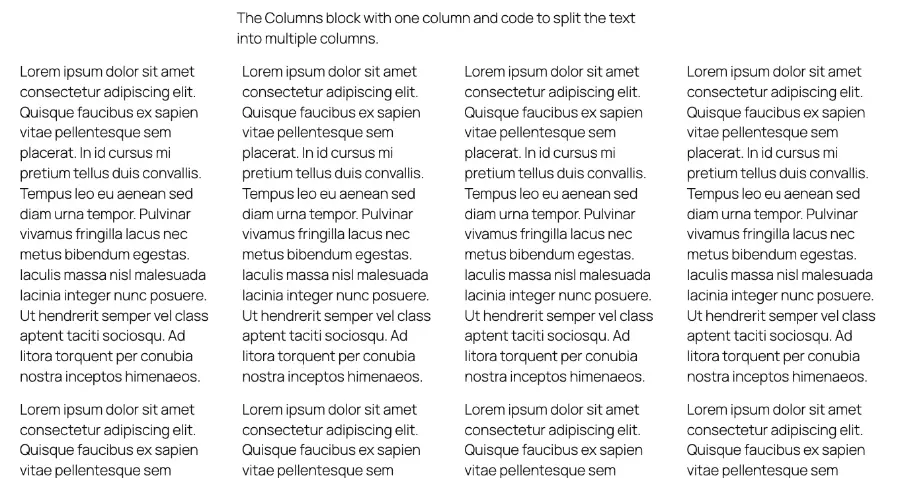
}, 10, 3 );The result is this:
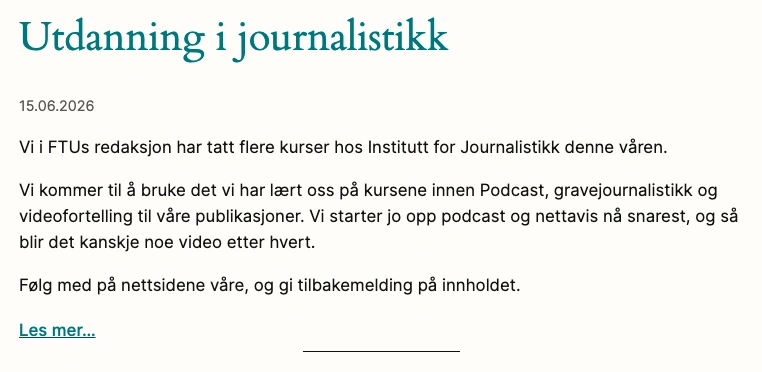
The code snippet keeps the paragraph breaks in the post excerpts.